Background
LiveCareer is an international full-service resume-building site with users all over the globe. We provide job seekers with templates, ready-made content, and more.
I worked on this project for the international team, and use CV instead of resume for our non-US audience.
Problem area
User research showed us that users are using AI tools, like ChatGPT, to generate resume content and pasting the copy into LiveCareer.
Users are also using AI to get feedback on their resumes made in LiveCareer.
Business goal
How can we keep users on our platform by offering comprehensive AI writing tools?
User goal
How can users create a resume they’re confident in using embedded AI tools that offer writing help?
Competitor analysis
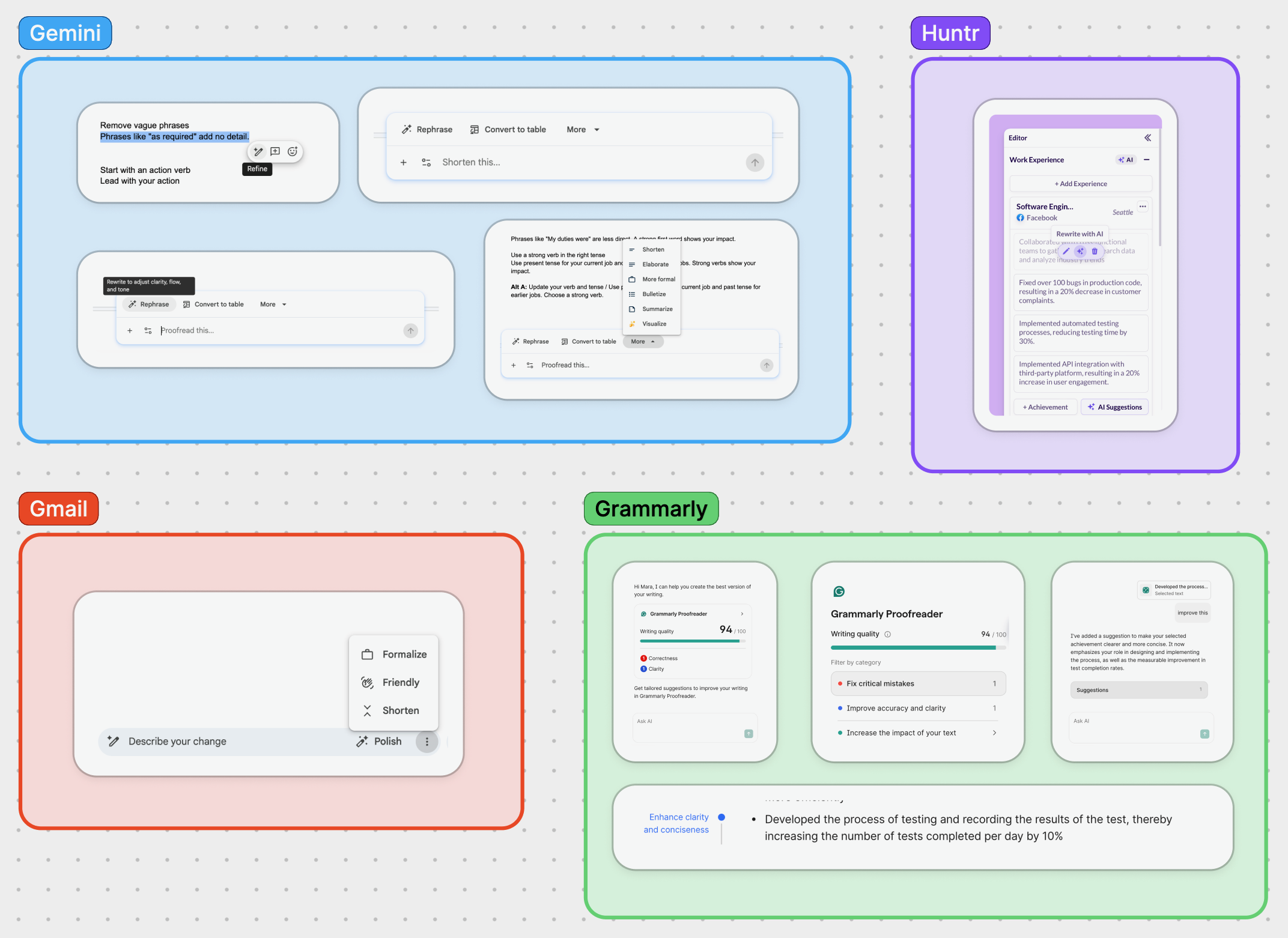
I looked at other AI writing tools to see what kind of language they used to talk about their writing tools. Competitors typically used enhance, rewrite, refine, and polish as the action verb.
Content and design goals
Use clear, descriptive verbs and iconography to explain to users exactly what this feature does, and indicate that this is an AI tool.
Ideating
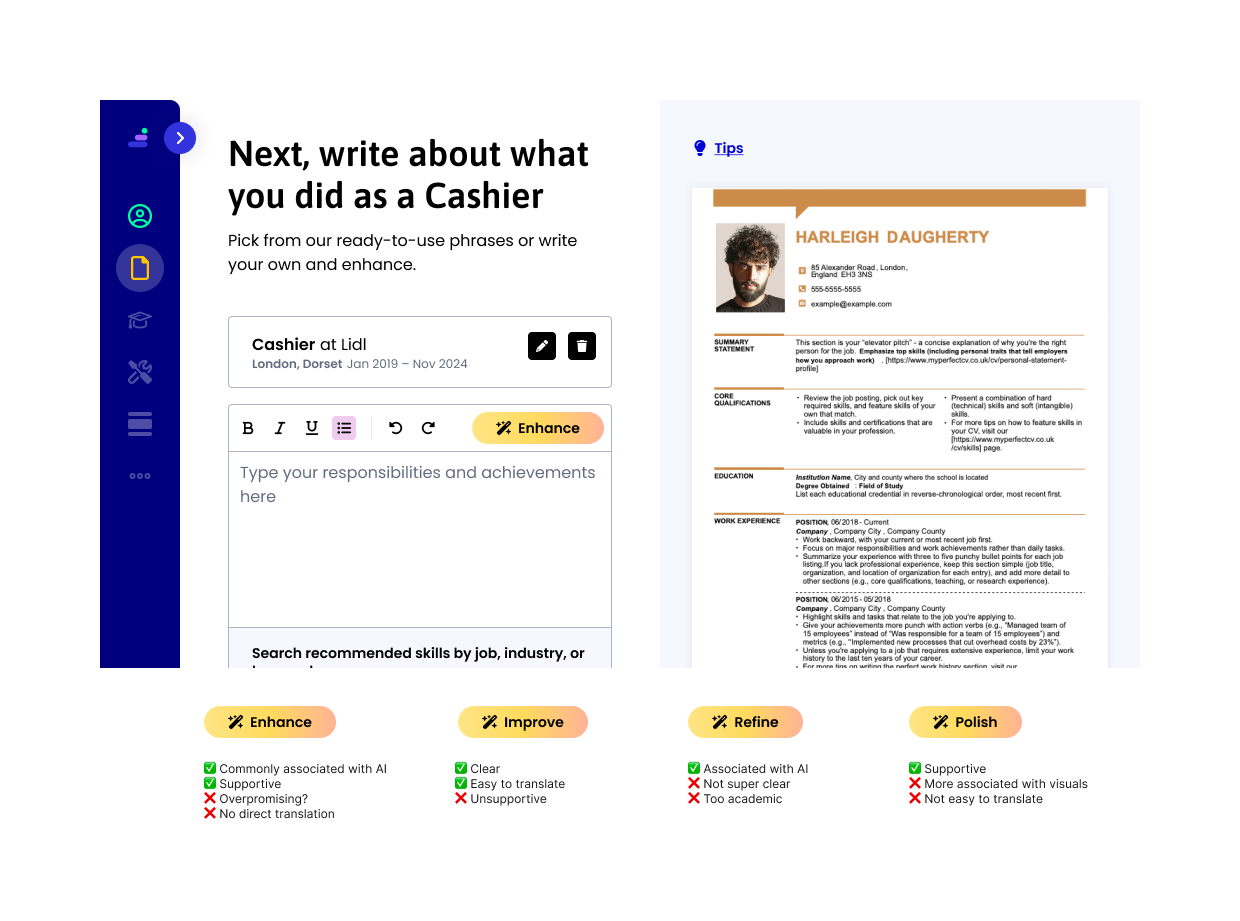
After brainstorming copy directions, I narrowed down a few verbs to use for the entry point. I wanted to be crystal clear that this was an AI writing tool. The visual language of a magic wand and sparkle icon supported the copy.
I landed on Enhance, Refine, Improve, and Polish.
Conversational writing
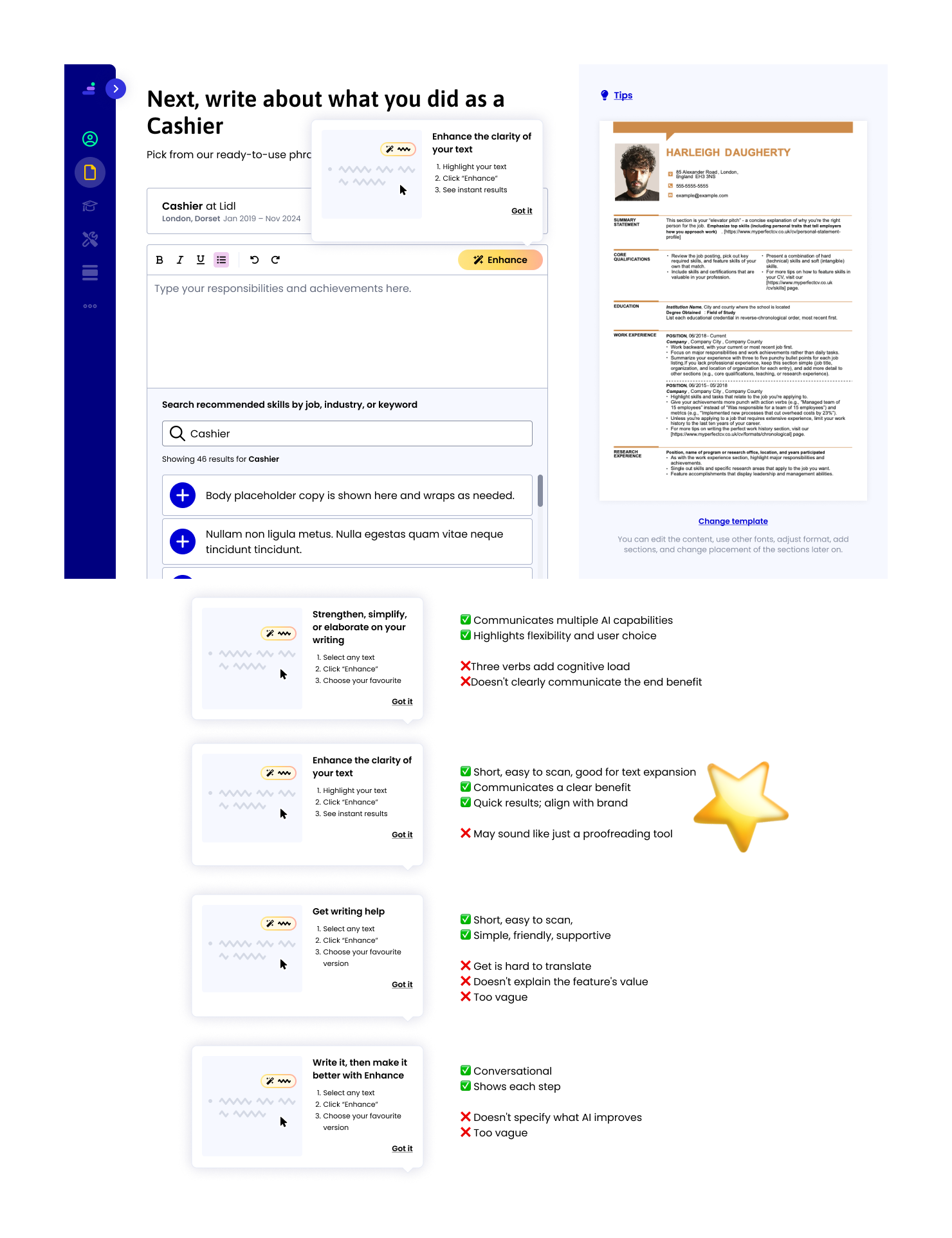
I wanted the voice and tone of the writing tool to be friendly, collaborative, and supportive. Humanizing the flow with conversational language would position us (the company) as experts who are working alongside the job seeker to improve their resume.
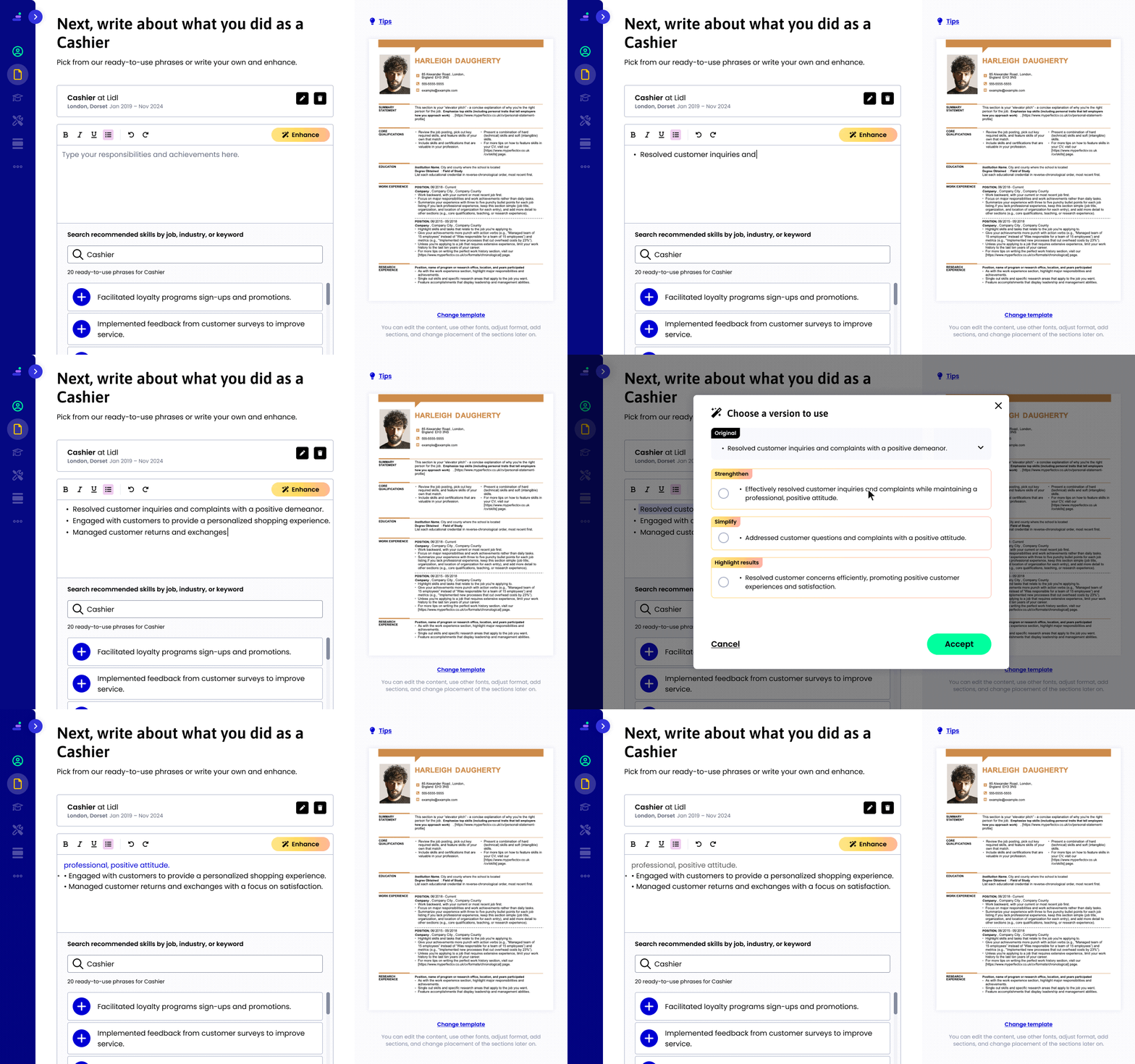
To upsell the feature, I added a tooltip that would appear after a 2 seconds upon landing on this page. I wanted to tooltip to be brief yet descriptive, and also be mindful of text expansion when translated.
Reducing cognitive load
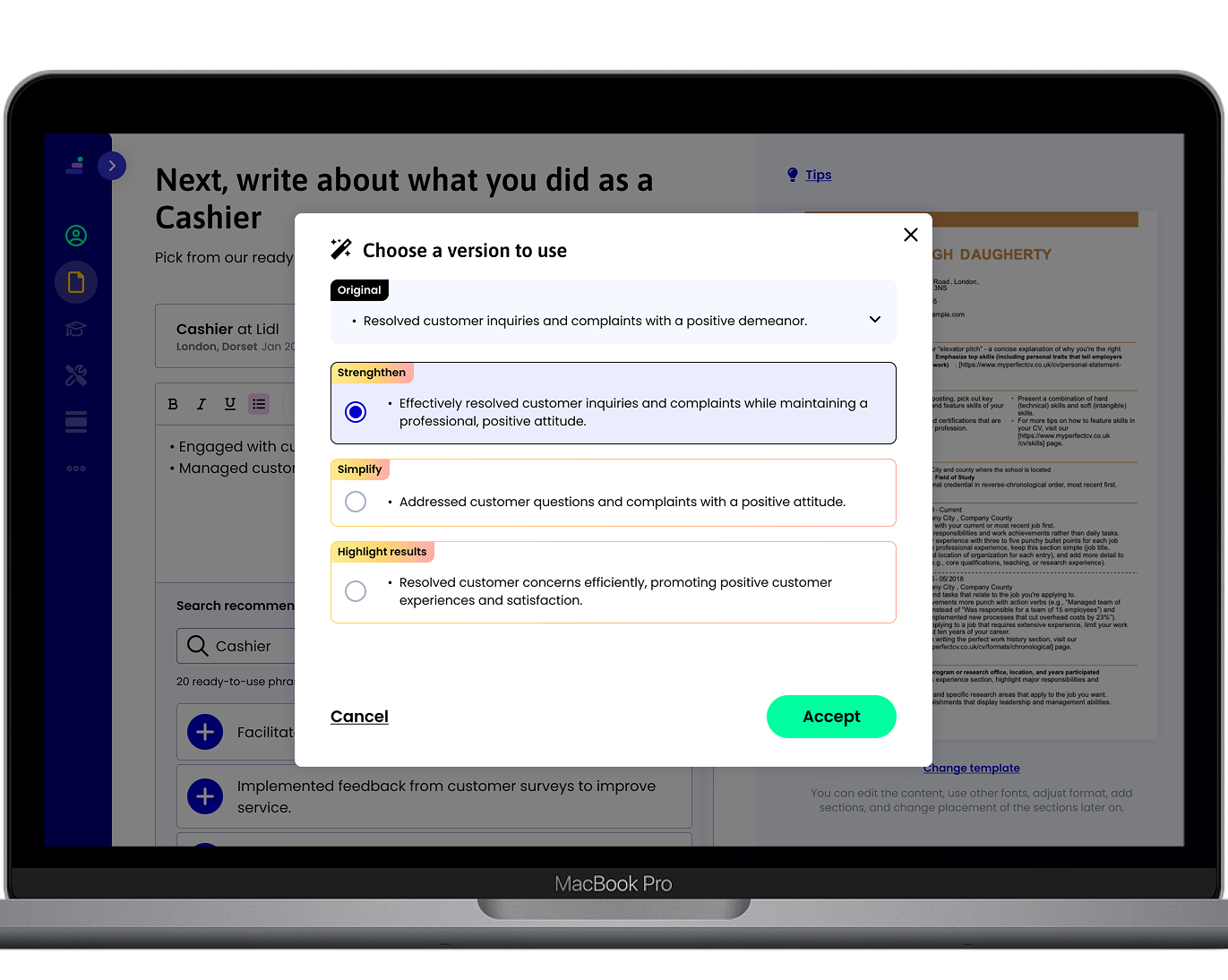
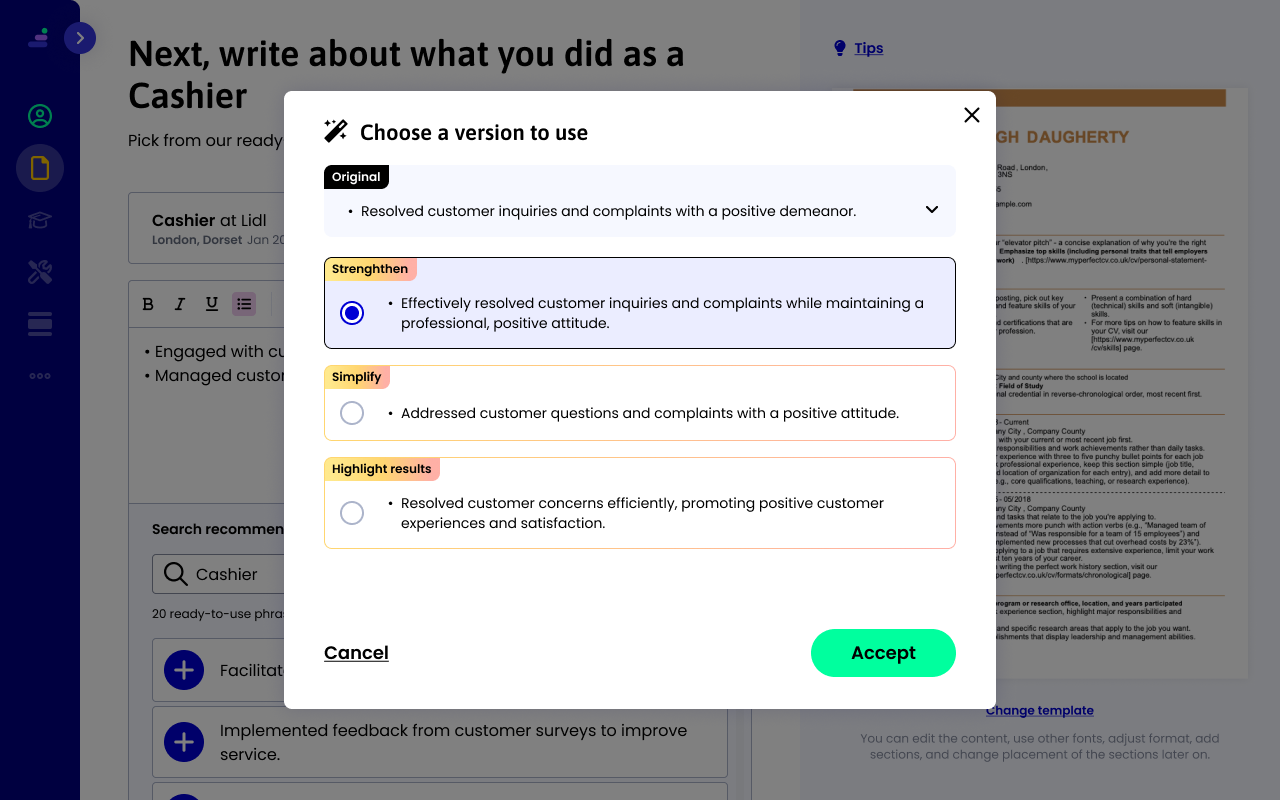
After a user selects the text they'd like to enhance, we provide 3 different versions for them to choose from.
To reduce cognitive load and help with decision fatigue, I chose to format the headline in an actionable statement, rather than a question like "Which version would you like to use?"
Starting with a strong action verb lets users know exactly what they need to do on this screen, and keeps them moving through the flow.
User testing
I conducted unmoderated user testing to get even more insight on which was the most descriptive verb to use for this feature. I tested 2 versions; Enhance and Refine. I also asked users to try out and provide feedback on the flow itself.
I create a testing script and a prototype to use on UserTesting.com. I set my audience to 16 people in the United Kingdom.
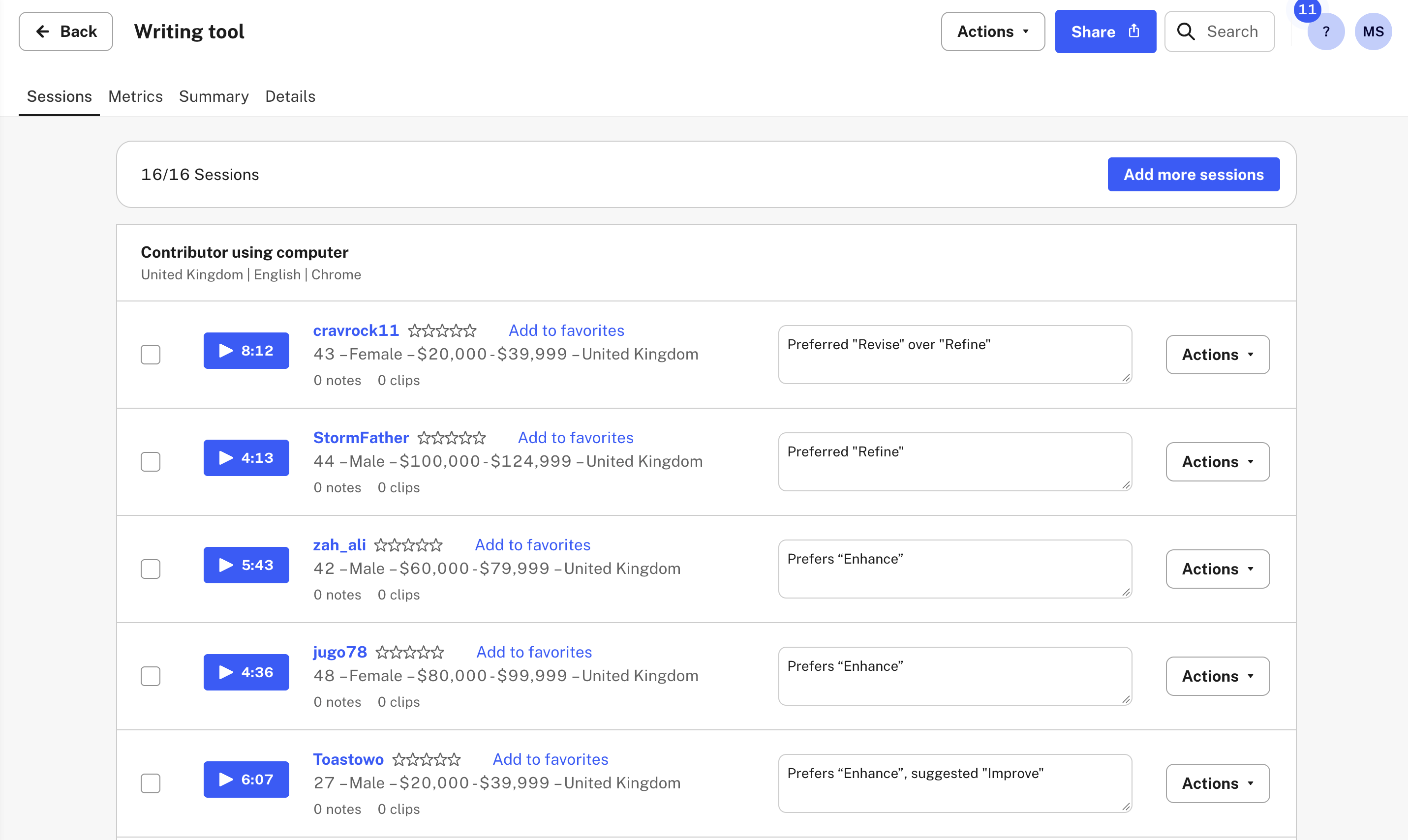
8 participants preferred Refine, and 7 preferred Enhance. Most users clearly understood this feature and found it useful.
Finalizing content with Localization
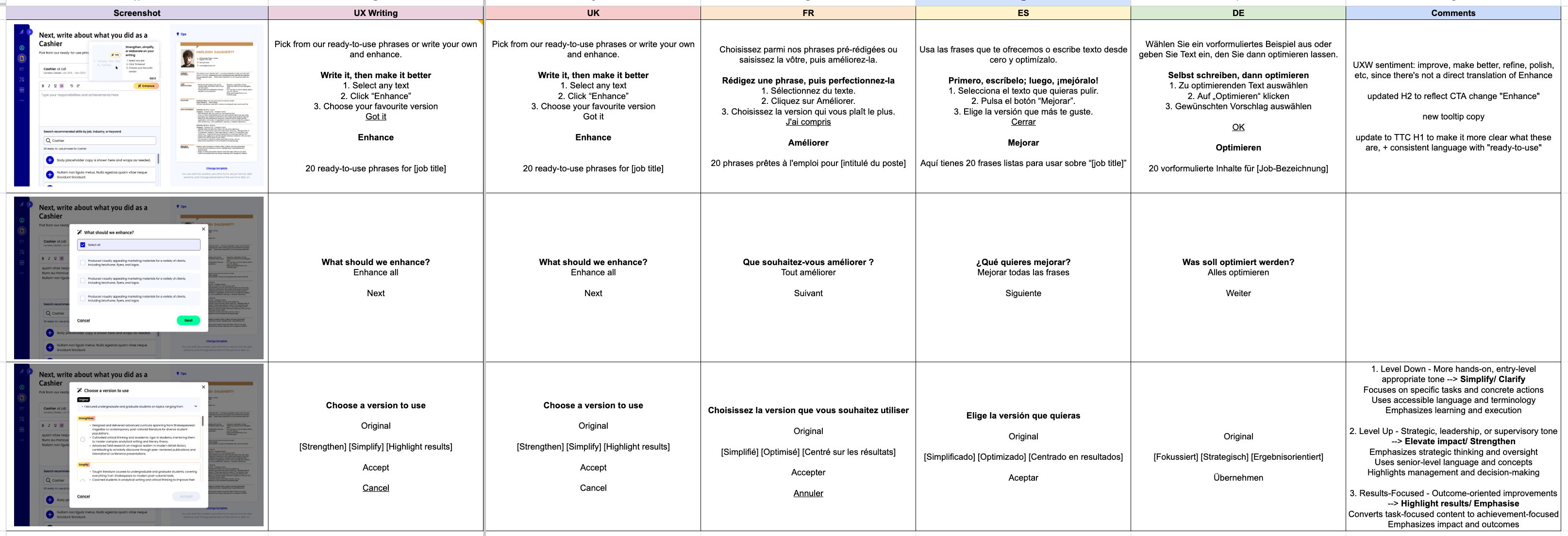
Because the preference between the 2 options was marginal, I consulted the Localization Manager for insight on how Enhance and Refine might resonate with users in different locales.
We decided that while Enhance is quite clear in English, and is commonly associated with AI, in most of the other locales that we work in, there's no one-word equivalent.
I provided the linguists with the original UX Writing sentiment and deferred to their expertise as to what the most useful and clear verb would be.
Final flow
Results and takeaways
We saw a 3% increase in conversion.
Validating copy via user testing prior to launch is always a great way to get insights before putting the copy in front of our users.
Full case study available on request.